01
Overview
I came across this challenge when a colleague shared Tim Slade's LinkedIn post about it. You can find more details on Slade's site, The eLearning Designer's Academy. I was intrigued because I'm familiar with the audience and subject matter, having recently completed a microlearning project related to cocktails.
In the course, learners discover why Bebida Especial's vodka makes the best-tasting Moscow Mule, learn to mix the drink with the correct ingredients and measurements, and see why it belongs in the proper vessel. It also pushes them to think beyond the classic, proposing new variations, flavors and garnishes that can expand cocktail menus and sales opportunities.
02
Analysis and storyboard
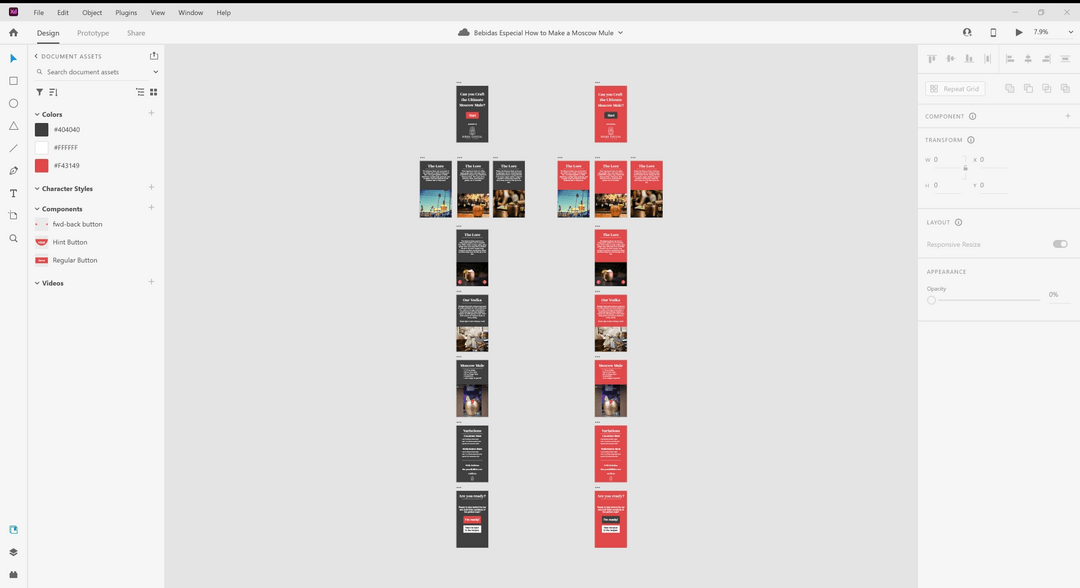
During the analysis phase, I consulted with friends in the industry to understand the audience's preferences. The consensus was that the training should be concise, engaging and mobile-friendly. In response, I condensed the history of the cocktail into a single slide and storyboarded in a mobile aspect ratio, knowing I would need to carefully manage the number of elements on screen.
Since I had built out most of the game logic in my recent cocktail project, the main challenge was incorporating the company's brand and styling into the interaction. I got there by experimenting with different backgrounds, button colors and themes in Adobe XD.
03
Gamification
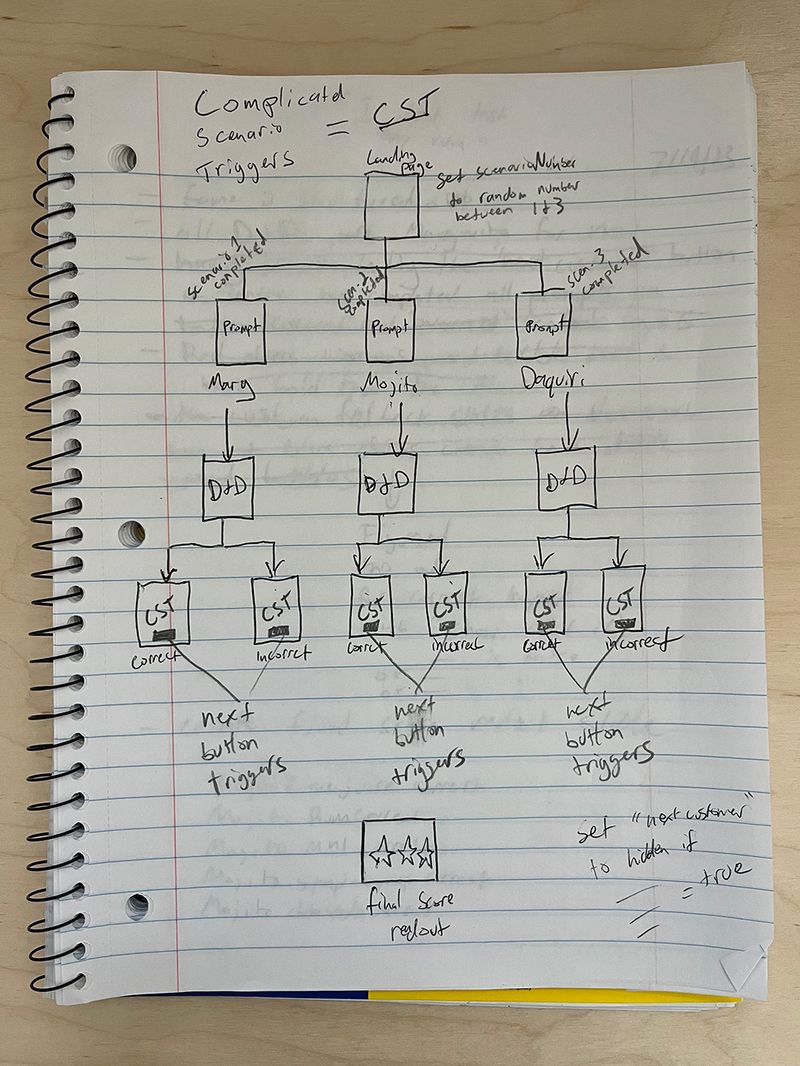
The gamification element adds fun and increases learner engagement. This training could also run on an LMS that tracks learners' scores and creates a leaderboard, with incentives for those with perfect scores. To see how I mapped out the game logic, read the Cocktail Quiz write-up.
04
Garnish section
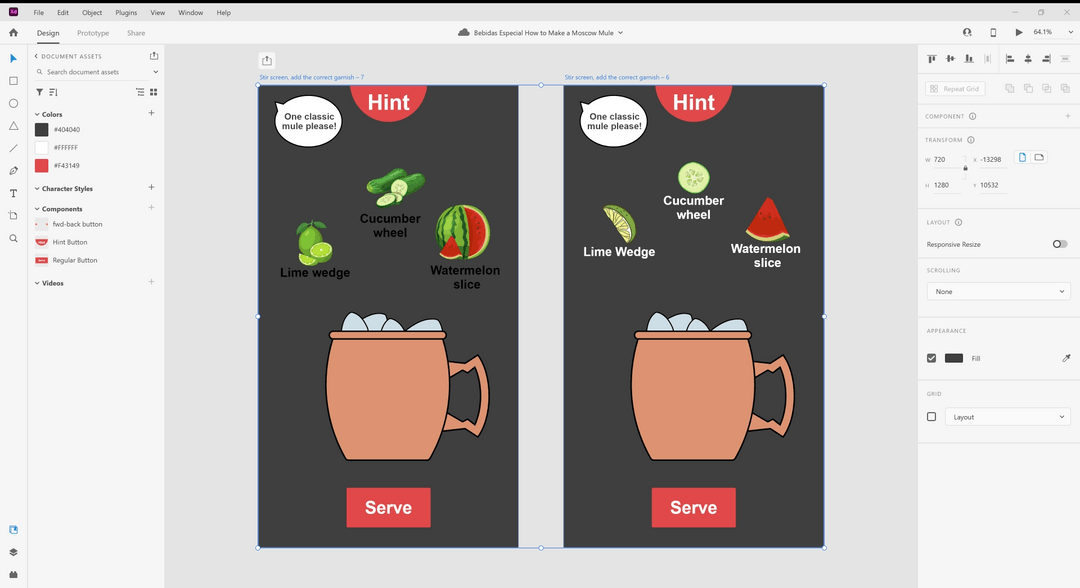
I knew my cocktail mixing interaction was solid, but for this project I also needed a garnish section. I used a drag-and-drop scenario to mirror the drink-mixing interaction.
05
Takeaways
Some of my favorite projects are those with real-world outcomes, like, in this case, a well-made classic cocktail, so this was thoroughly enjoyable to design and develop.